Scene Templates are pre-designed, ready-to-use layouts you can drop into any event. Instead of building a scene from scratch, you can pick from a library of professionally designed options — each created for common livestream moments like intros, interviews, polls, product highlights, and more.
They're perfect when you want speed, inspiration, or a polished layout without doing all the design work yourself.
What's Inside a Scene Template?
Each Scene Template comes with a complete layout that may include:
- Guest configurations (1–4 guests, side-by-side, picture-in-picture, etc.)
- Interactive elements like polls or meters
- Banners or text blocks
- Backgrounds and overlays
- Media placeholders (videos, images)
Everything is fully editable once you add it to your event.
How to Add a Scene Template to Your Event
You can browse and add Scene Templates directly inside any event in Effi — you don't need to start from scratch or use a specific event template to access them.
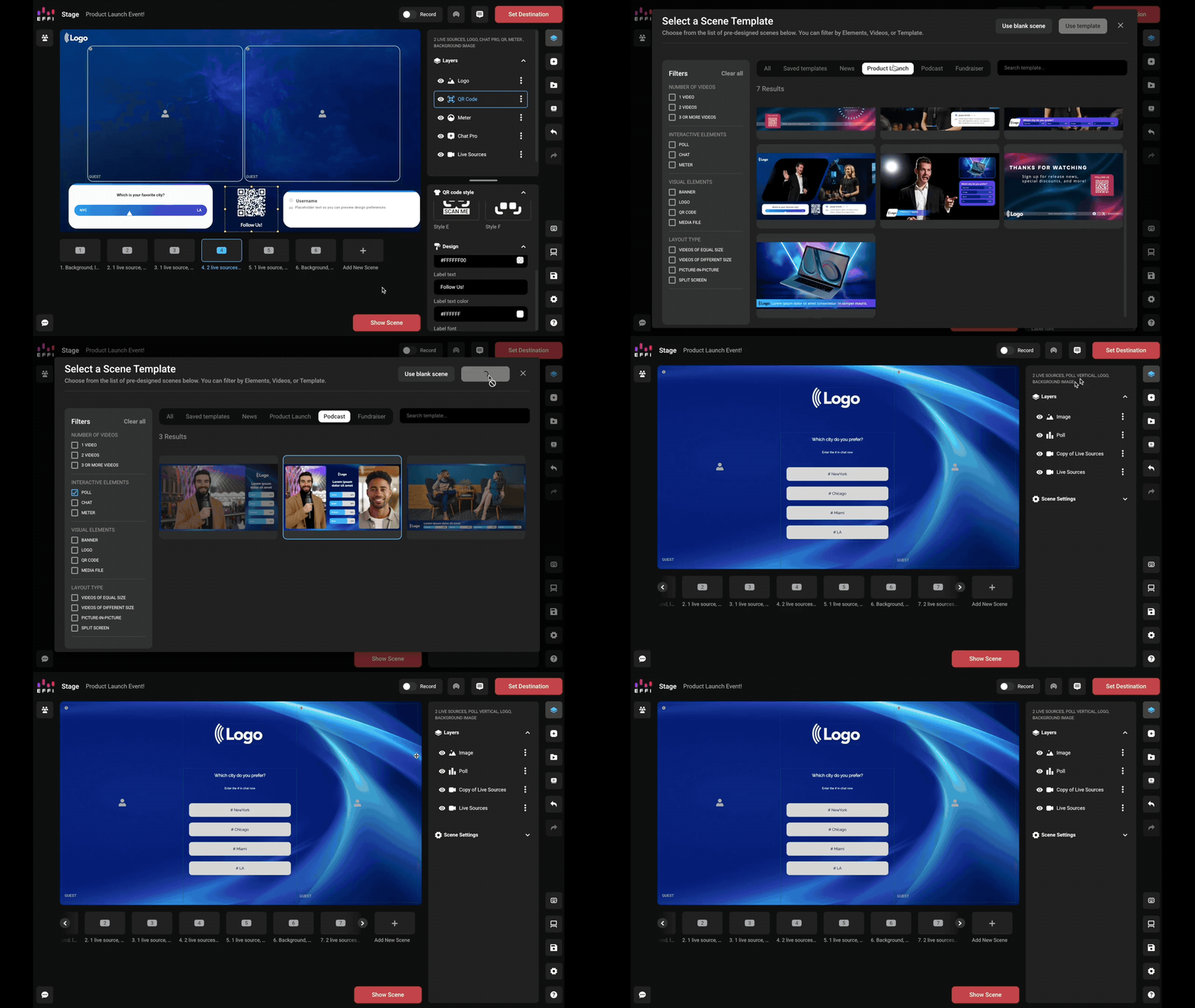
1. From Stage, click Add New Scene at the bottom of the screen.
2. Select Scene Template from the options that appear.
3. Browse the library. Use the filters to narrow by number of guests, interactive elements, visual elements, or layout type.
4. Select a scene and click Use Template to add it to your event as a fully editable scene.
Tip: Looking for something specific — like a scene with a poll or multiple guests? Use the filters to find exactly what you need.
Editing a Scene Template
Every Scene Template is fully editable. When you add one to your event, Effi creates a copy inside your event — editing it only affects your event, not the original template in the library. You can reuse the same template anytime.
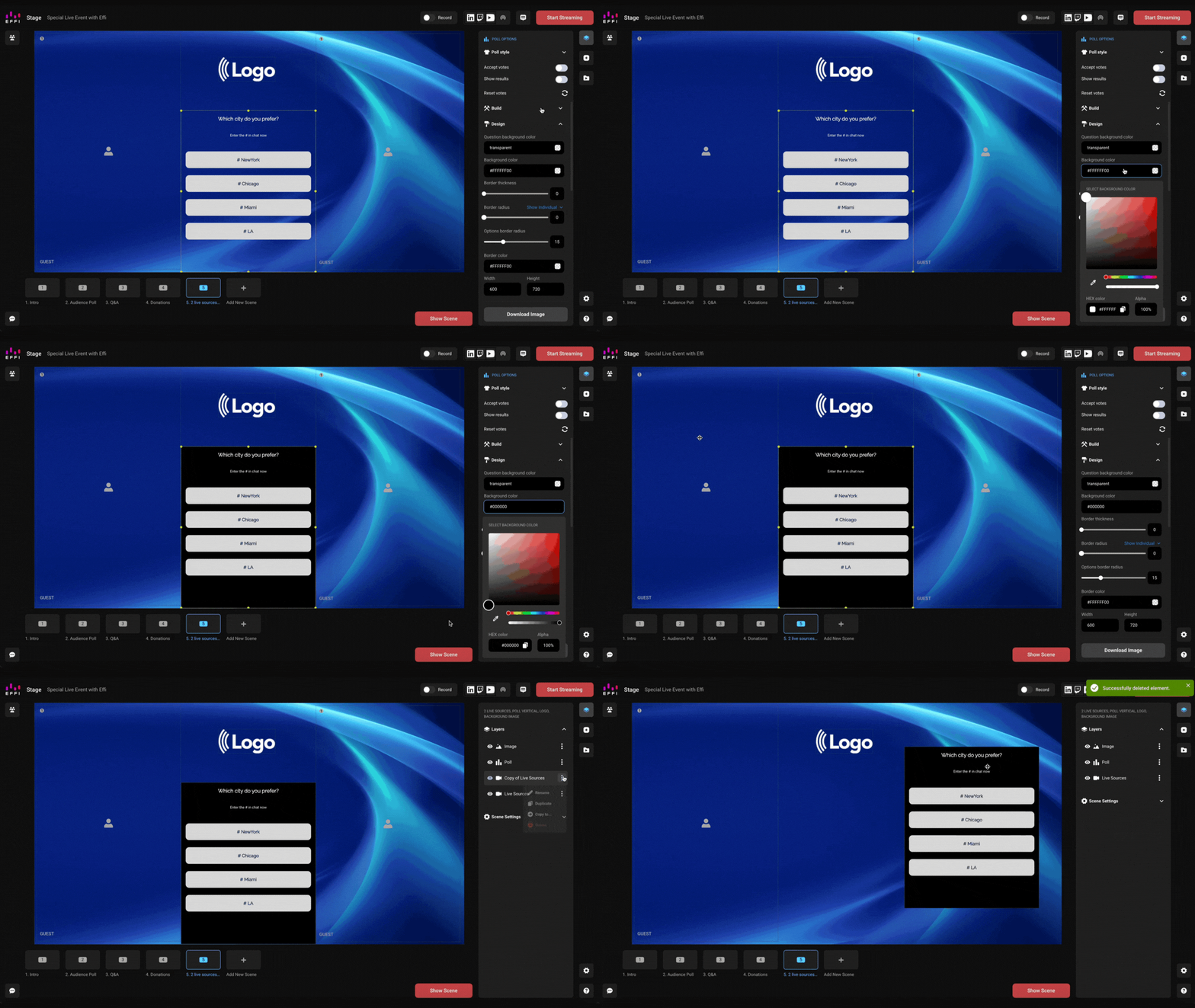
Here's what you can customize:
Design & Branding — backgrounds, overlays, colors, fonts, logos, borders, and styling details
Layout & Structure — guest layouts, media blocks, placement and sizing of elements, add/remove/reorder components within the scene
Interactive Elements — edit or delete preloaded polls, meters, and QR codes; add new elements; customize text, goals, and labels
Text & Content — edit placeholder text, add lower thirds, customize banners or captions
Can I Mix Scene Templates From Different Styles?
Yes. You can insert Scene Templates from any category regardless of the event template you're using. Mix layouts, styles, and interactive elements however you like — there are no restrictions.
Tip: Want to start your entire event from a pre-built template instead? See Event Templates and How to Create an Event.
Was this article helpful?
That’s Great!
Thank you for your feedback
Sorry! We couldn't be helpful
Thank you for your feedback
Feedback sent
We appreciate your effort and will try to fix the article