Designing an event from scratch takes time, so Effi offers a set of pre-designed templates to help you get started fast. Each template is built around a specific event type and comes preloaded with the scenes and interactive elements you're most likely to need — polls, meters, QR codes, banners, and more.
Templates give you a solid foundation. All you need to do is customize the look and make it your own.
What's Included in a Template?
Each template comes with a thoughtfully designed layout and a starter set of interactive elements, which can include:
- Polls
- Meters
- QR codes
- Banners
- Overlays
- Scenes arranged for your event style
Everything is fully customizable — you can edit, remove, or add anything you like.
Available Templates
Product Launch
Perfect for showcasing new products, highlighting features, and driving real-time audience engagement.
Podcast
Designed for conversational formats, interviews, co-hosts, and recurring livestream episodes.
News
Built for quick updates, breaking news segments, commentary, or structured storytelling.
Fundraiser
Includes donation-friendly elements and engagement tools to help drive support.
Important: The Fundraiser template is only available to users with Streamocracy enabled.
While these templates are designed with specific event types in mind, they work for far more than their names suggest. Since everything is fully customizable — scenes, layouts, elements, branding, and content — you can take any template and shape it into whatever your event needs. Think of the template name as a starting point, not a limitation.
Editing a Template
Yes — every Effi template is fully customizable. Templates are meant to give you a strong starting point, but you're never locked into the default layout, elements, or styling. You can change as much or as little as you want.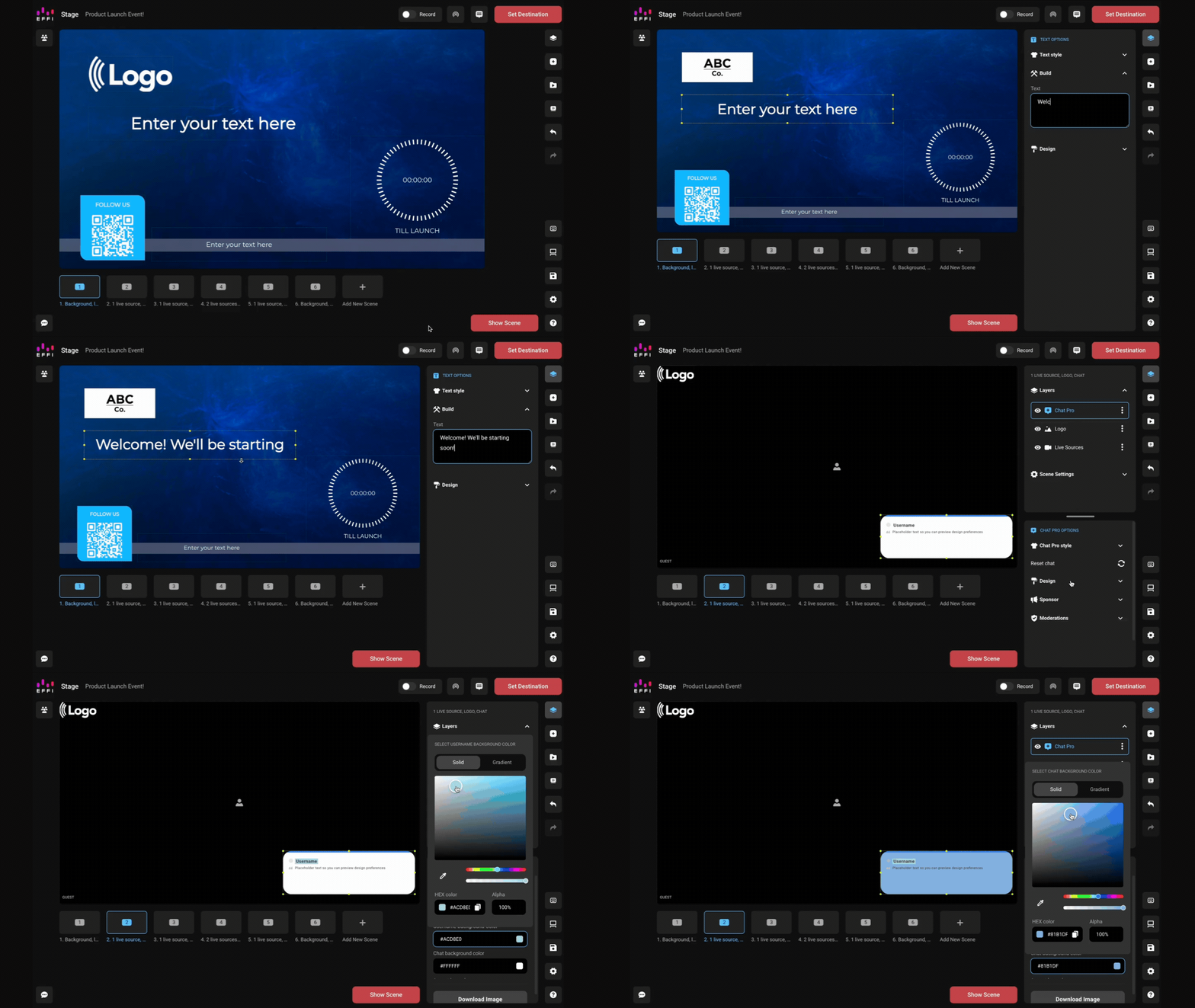
Here's what you can edit:
Design & Branding — colors, fonts, backgrounds, overlays, logos and branding assets
Layout & Structure — add, remove, or reorder scenes; adjust layout styles; swap in new guest configurations
Interactive Elements — edit or delete preloaded polls, meters, and QR codes; add new interactive elements; customize question text, labels, goals, and more
Content & Copy — update banners, lower thirds, and text blocks; replace placeholder content
Note: Editing a template only affects your event — not the base template itself. You can reuse the original template any time without worrying about losing the default version.
Can I Mix Templates?
Yes. You can add individual scene templates from other layouts into any event you're building. This lets you borrow just the pieces you want, like a poll scene, a multi-guest layout, or a specific design style, without switching your entire event to a new template.
Tip: Use the filters in the Scene Template library to quickly find scenes with specific guest counts, interactive elements, or visual styles. See Scene Templates for more.
Was this article helpful?
That’s Great!
Thank you for your feedback
Sorry! We couldn't be helpful
Thank you for your feedback
Feedback sent
We appreciate your effort and will try to fix the article