Whether you've been invited by email, text, or any other messenger, joining works the same way. Here's what to expect.
Accepting Your Invite
Clicking your invite will prompt you to confirm or change your camera, mic, and speaker before joining the Greenroom, where you'll stay for the rest of the broadcast.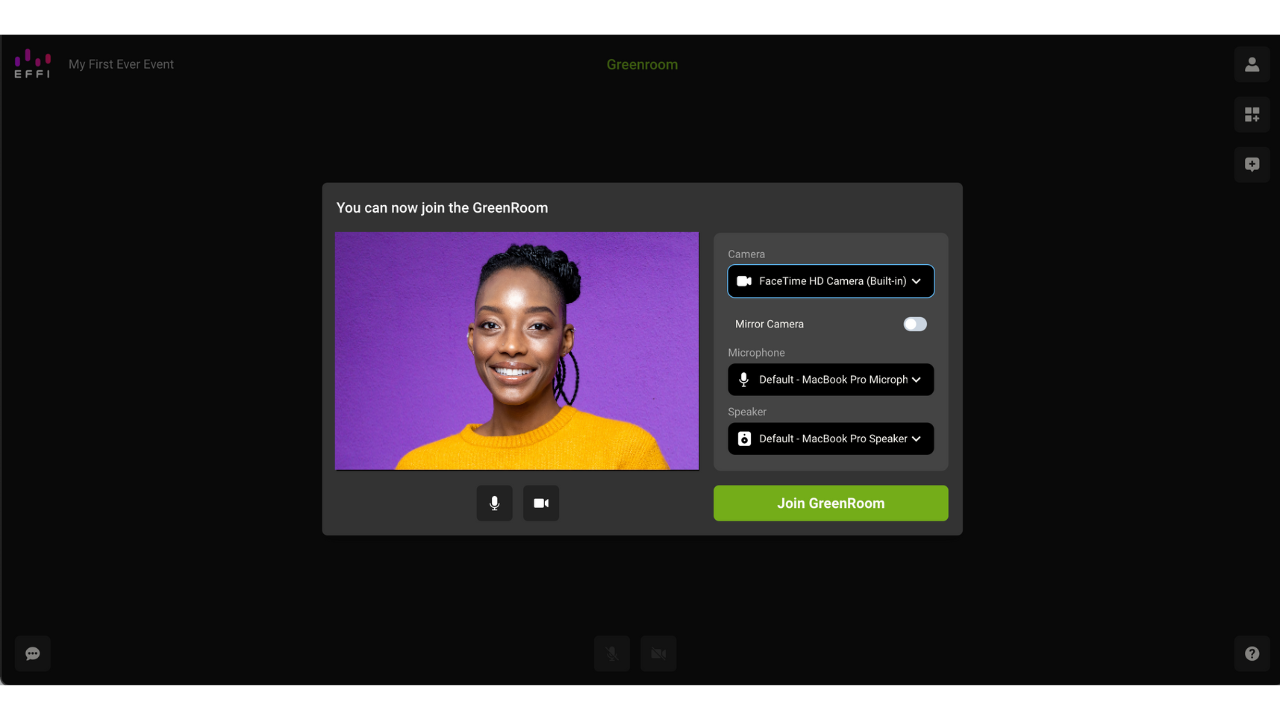
What You'll See in the Greenroom
Once you're in, you'll see any other guests who've joined, along with a few tools to help you throughout the broadcast: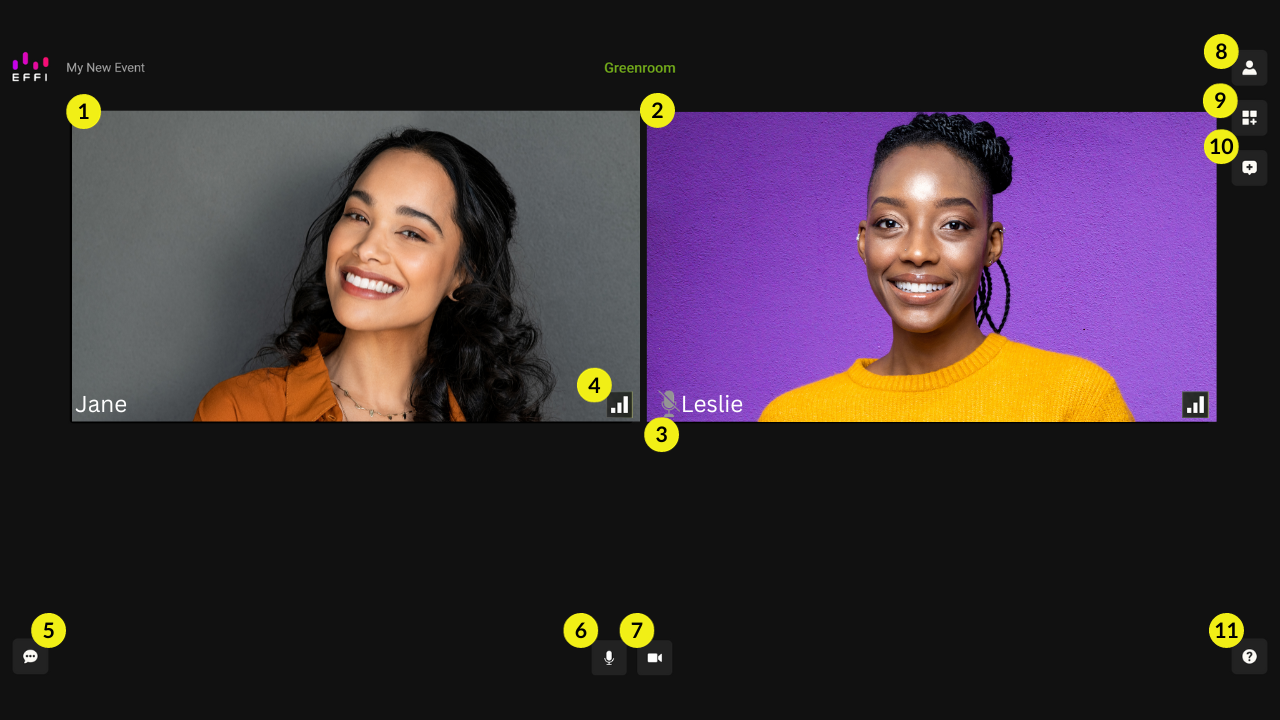
- Guest video feeds: you'll be able to see yourself and every other guest in the Greenroom.
- Muted indicator: a small icon appears next to a guest's name when they're muted.
- Connection quality: a signal meter so you can keep an eye on your connection and get help if it starts to slip.
- Guest Chat: a private text chat only visible to Effi users and guests. The audience watching your stream can't see it.
- Mic and camera controls: mute/unmute your mic or turn your camera on and off. With your camera off, you and everyone else will see an avatar in its place.
- Guest settings: view your details and switch your camera or mic source.
- Live element preview: if a poll or meter is live in the scene, you'll see it update in the Greenroom too.
- Audience Chat: see incoming messages from every platform the broadcast is streaming to.
- Help: access to the help center and Effi support, right from the Greenroom.
Joining From Your Phone or Tablet
You don't need a computer to join. Any phone or tablet with a working camera and a reliable internet connection works just as well.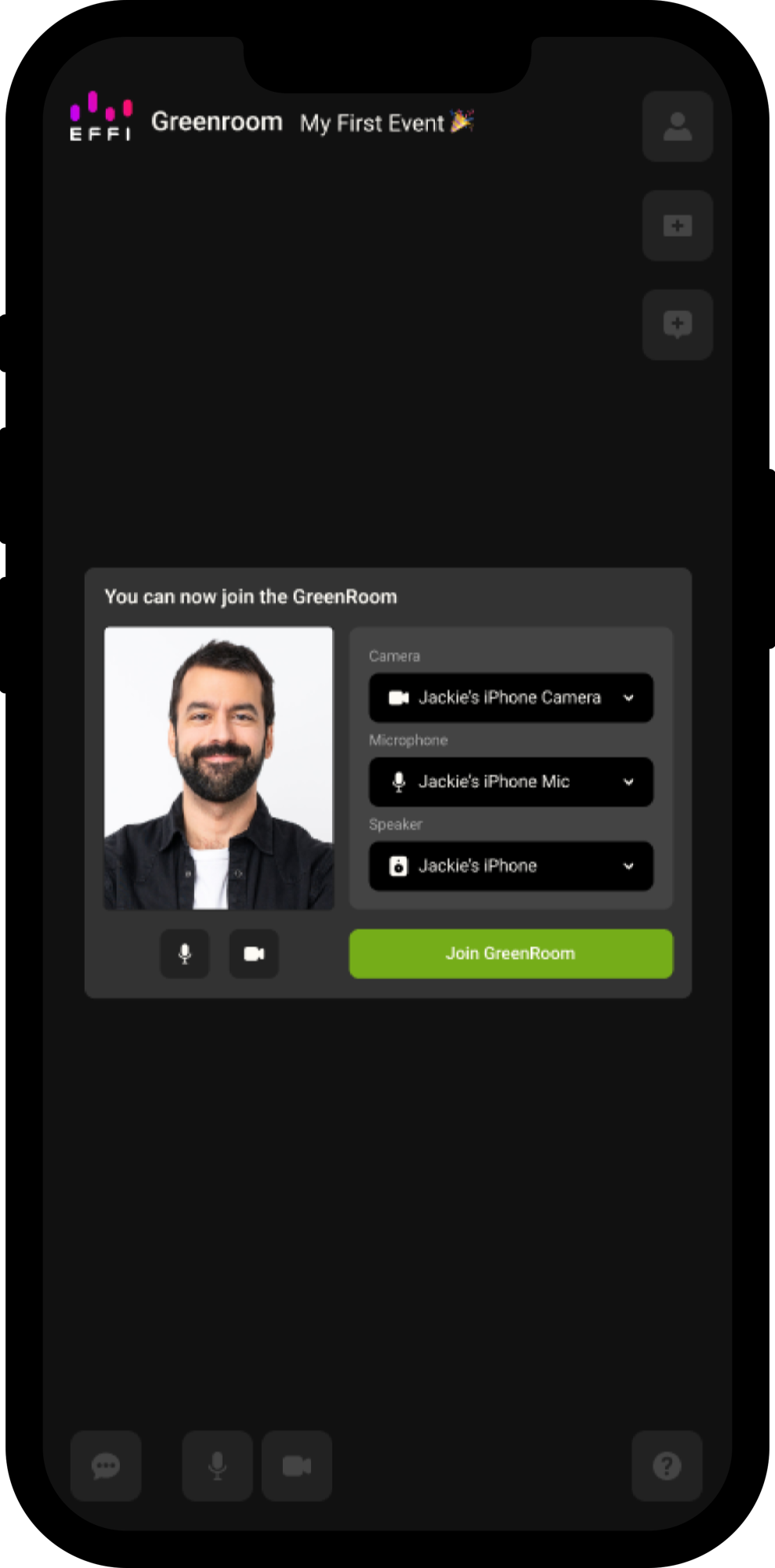
Tip: Connect to stable Wi-Fi where you can, prop your device up on a stand or sturdy surface instead of holding it, and check with your host on how you'll appear in the scene. If you'll be side by side with another guest, portrait works fine; if you'll be the only one in a larger feed, landscape usually looks better.
Was this article helpful?
That’s Great!
Thank you for your feedback
Sorry! We couldn't be helpful
Thank you for your feedback
Feedback sent
We appreciate your effort and will try to fix the article