Whether you need to update your password or you've forgotten it, here's everything you need to get back into your account.
Changing Your Password
It's good practice to change your password regularly, or if you suspect your account has been compromised. Updating your password ensures your account stays secure.
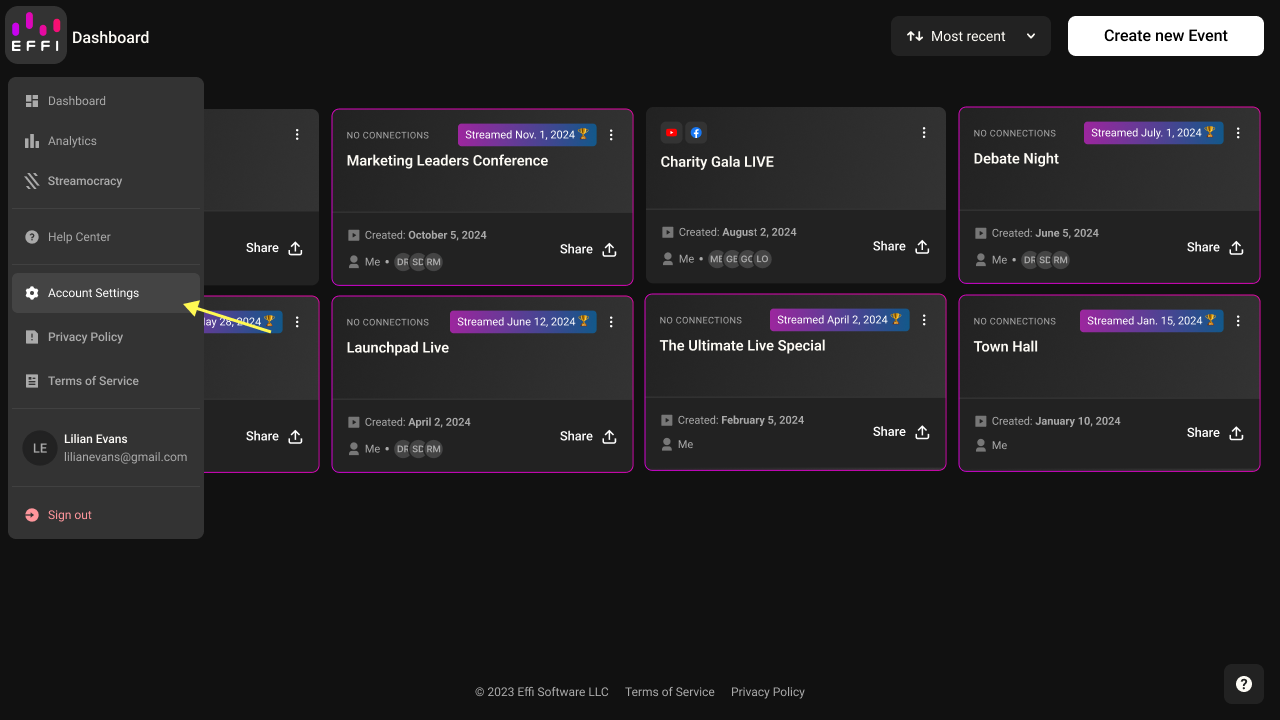
1. Navigate to Account Settings from the main menu.
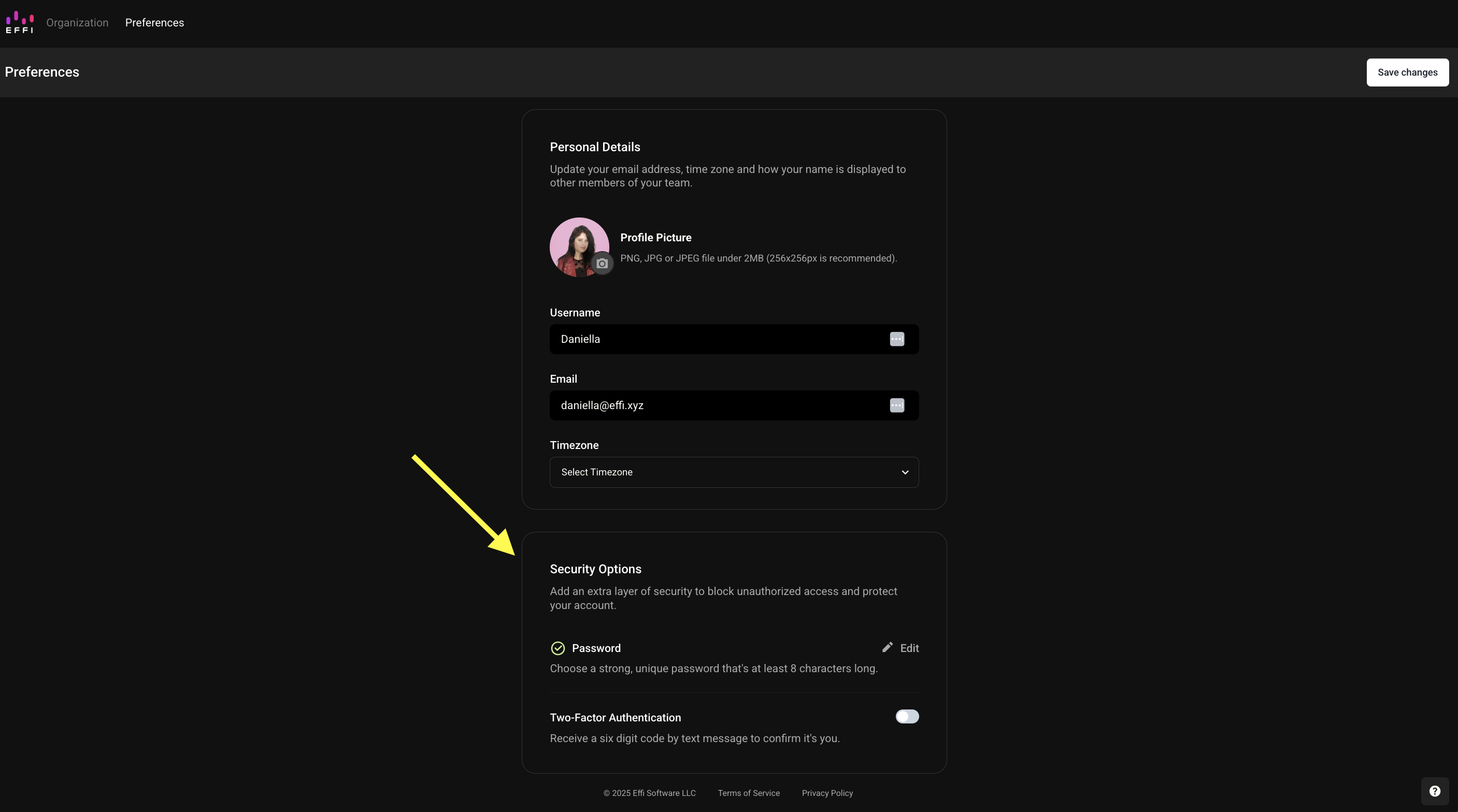
2. In your Preferences page, scroll down to find the Security Options section.
Whether you are an Owner, Admin, or Member, your password settings will always be found in the Security Options of your Preferences page.
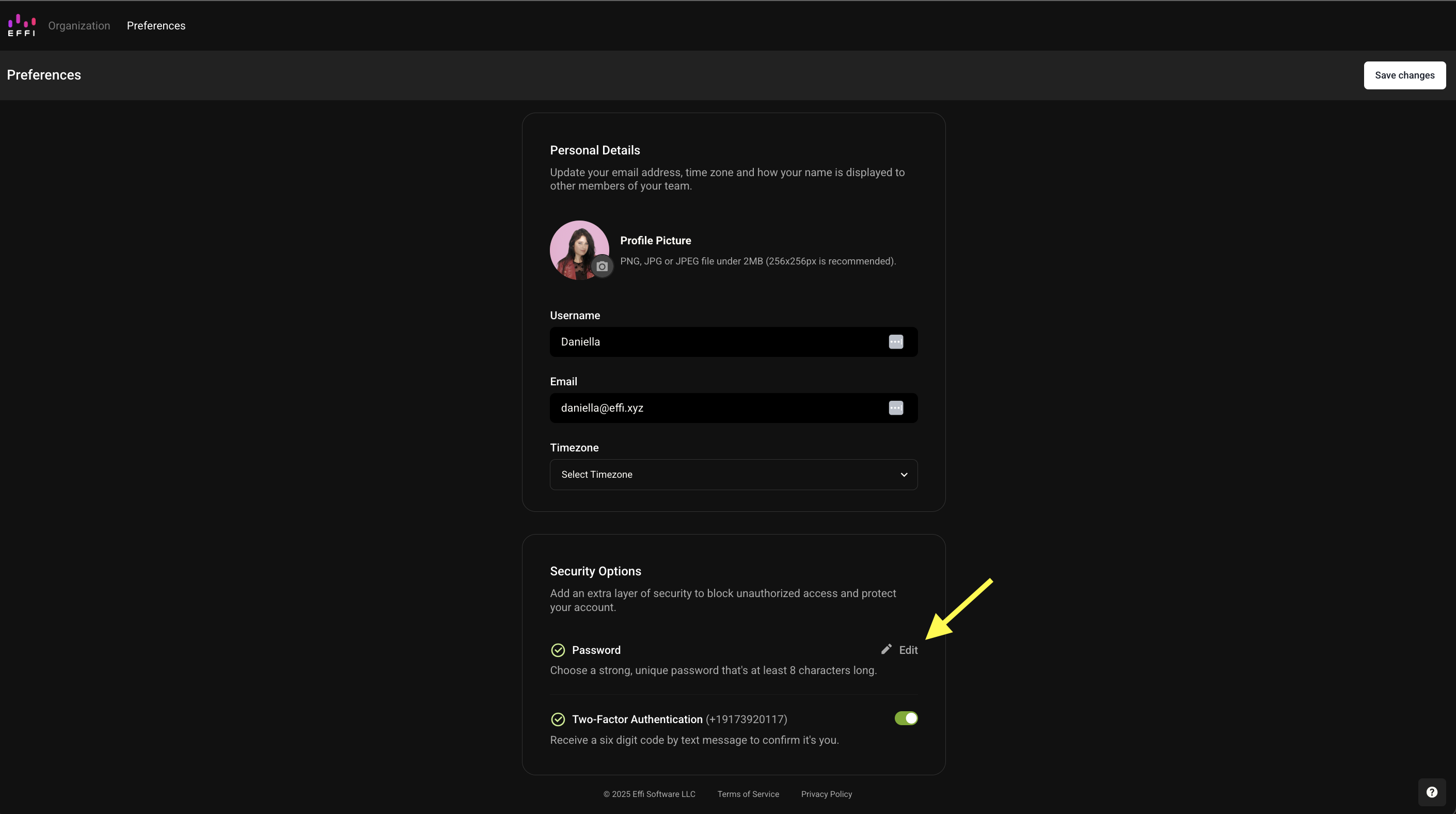
3. Click Edit next to Password.
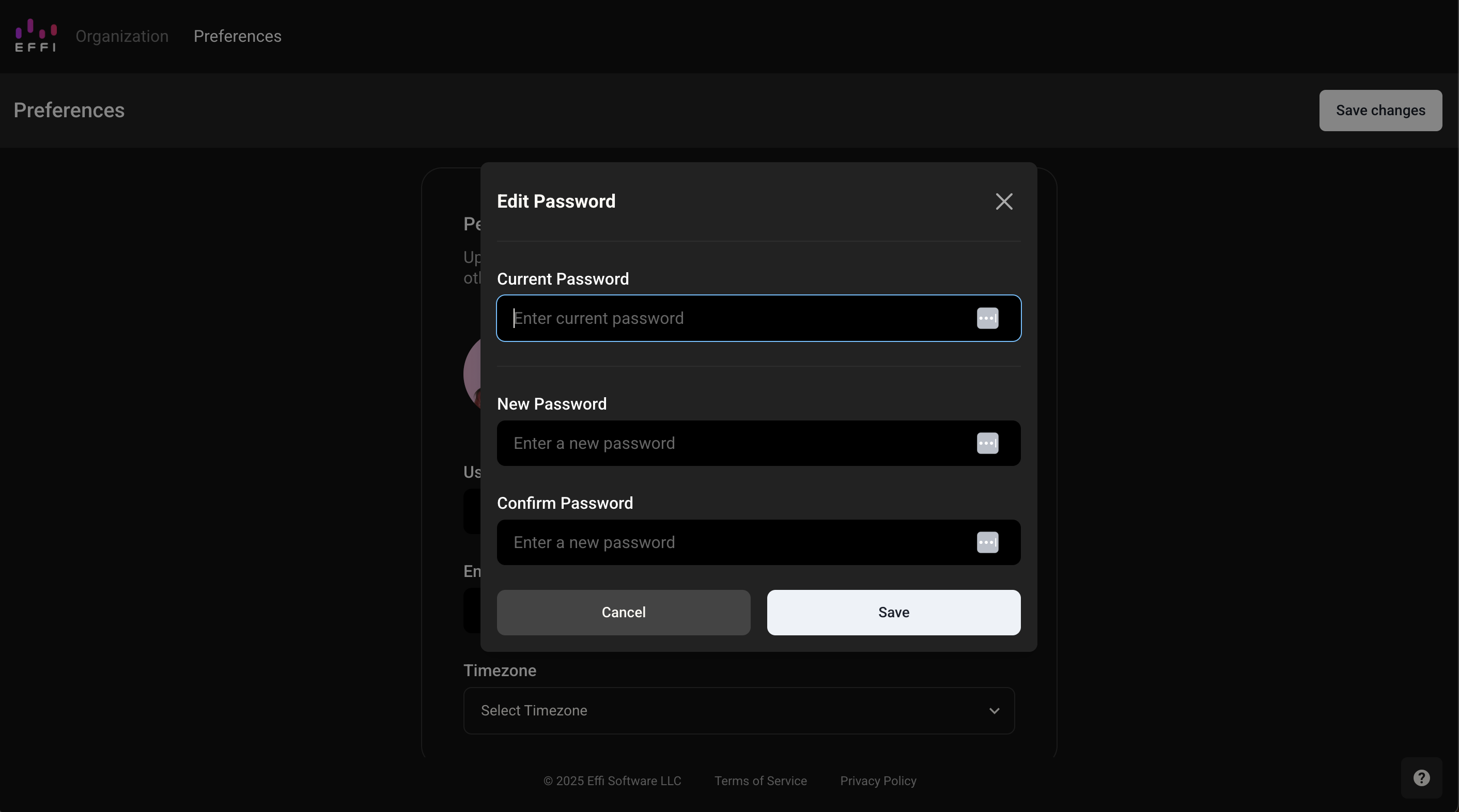
4. Enter your current password, choose a new one, confirm it, then click Save.
? If you've forgotten your current password and can't complete step 4, use the Forgot Your Password steps below instead.
Forgot Your Password?
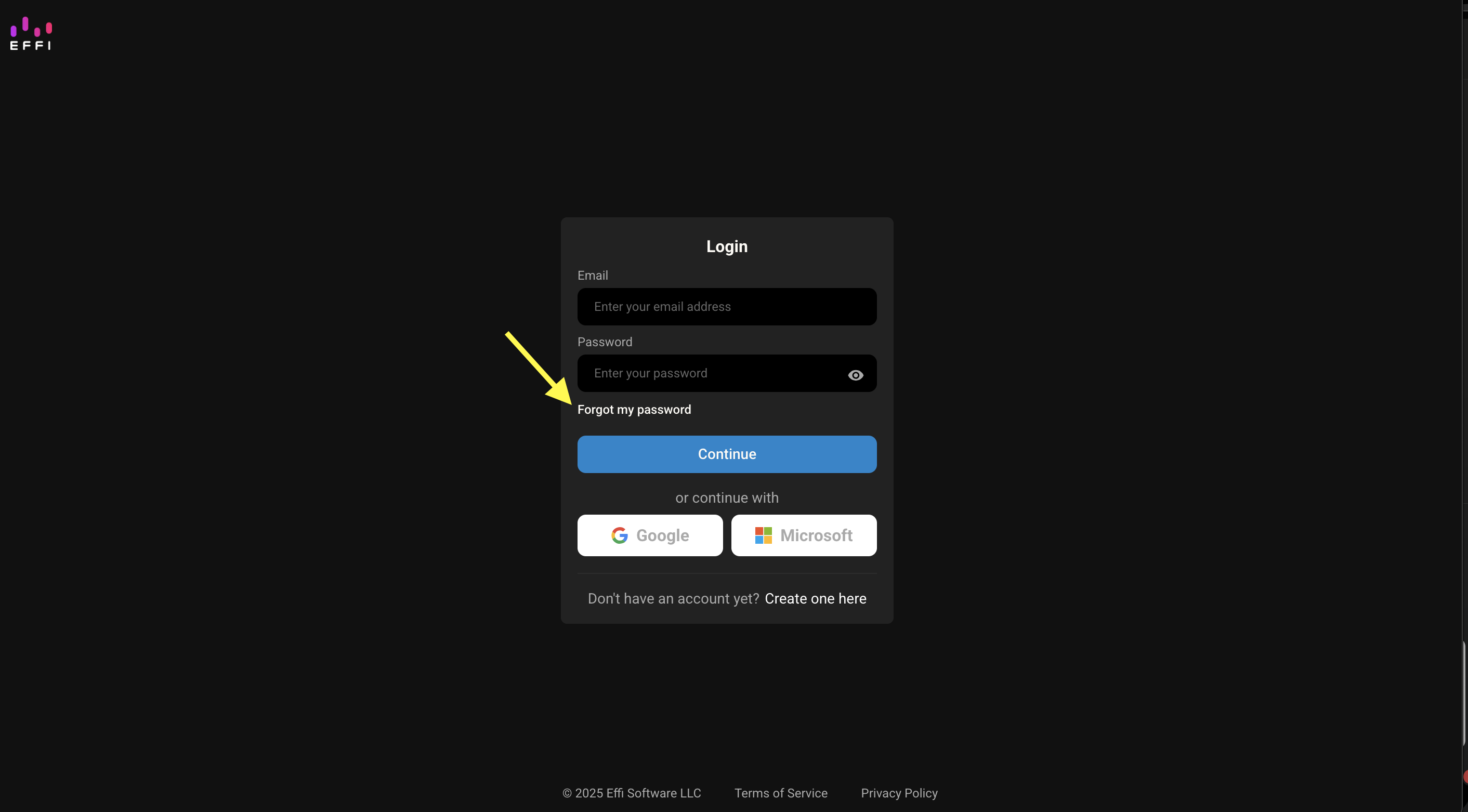
If you've forgotten your password, you can easily reset it from the login screen.
1. On the login screen, click Forgot my password.
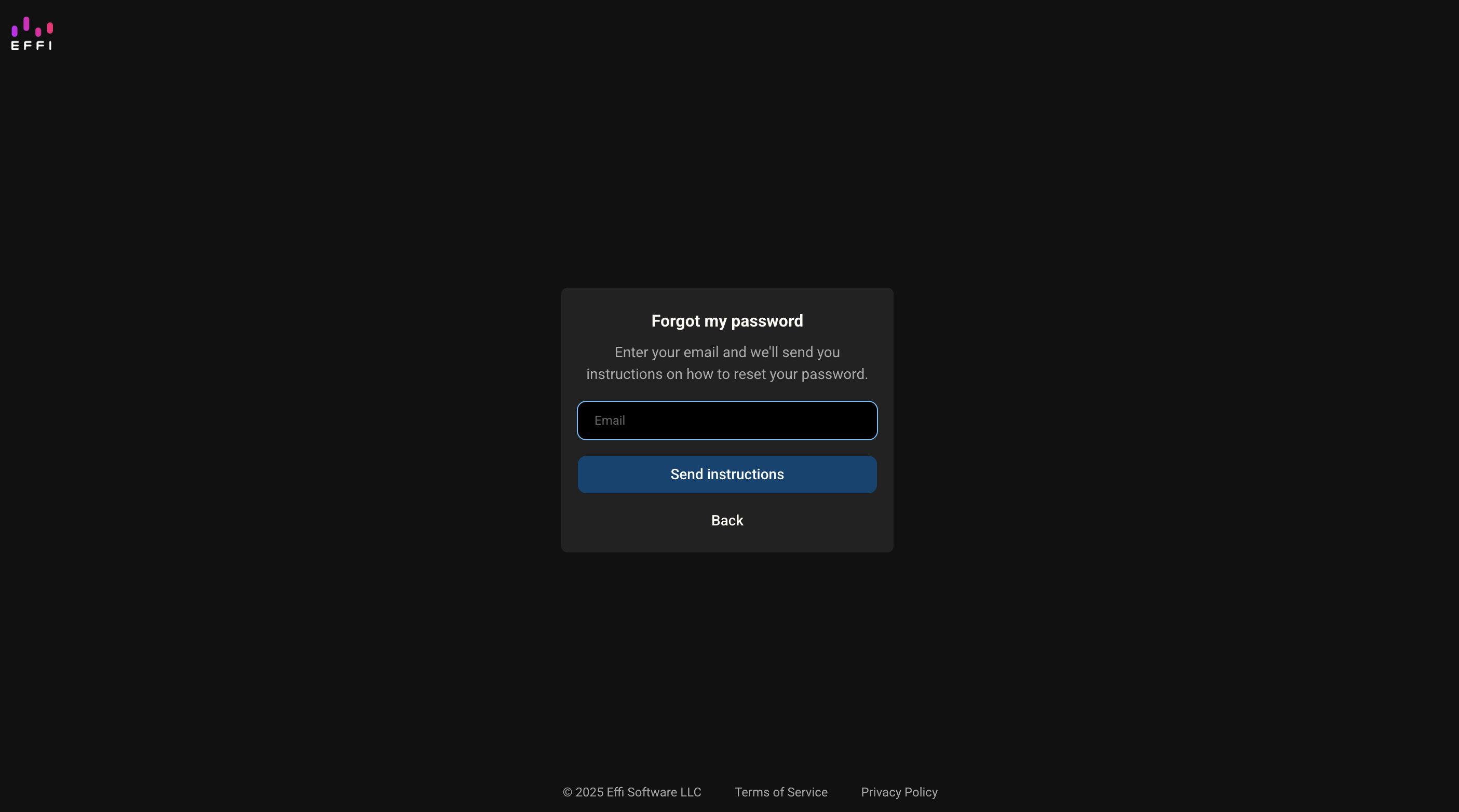
2. Enter the email address associated with your account and click Send instructions.
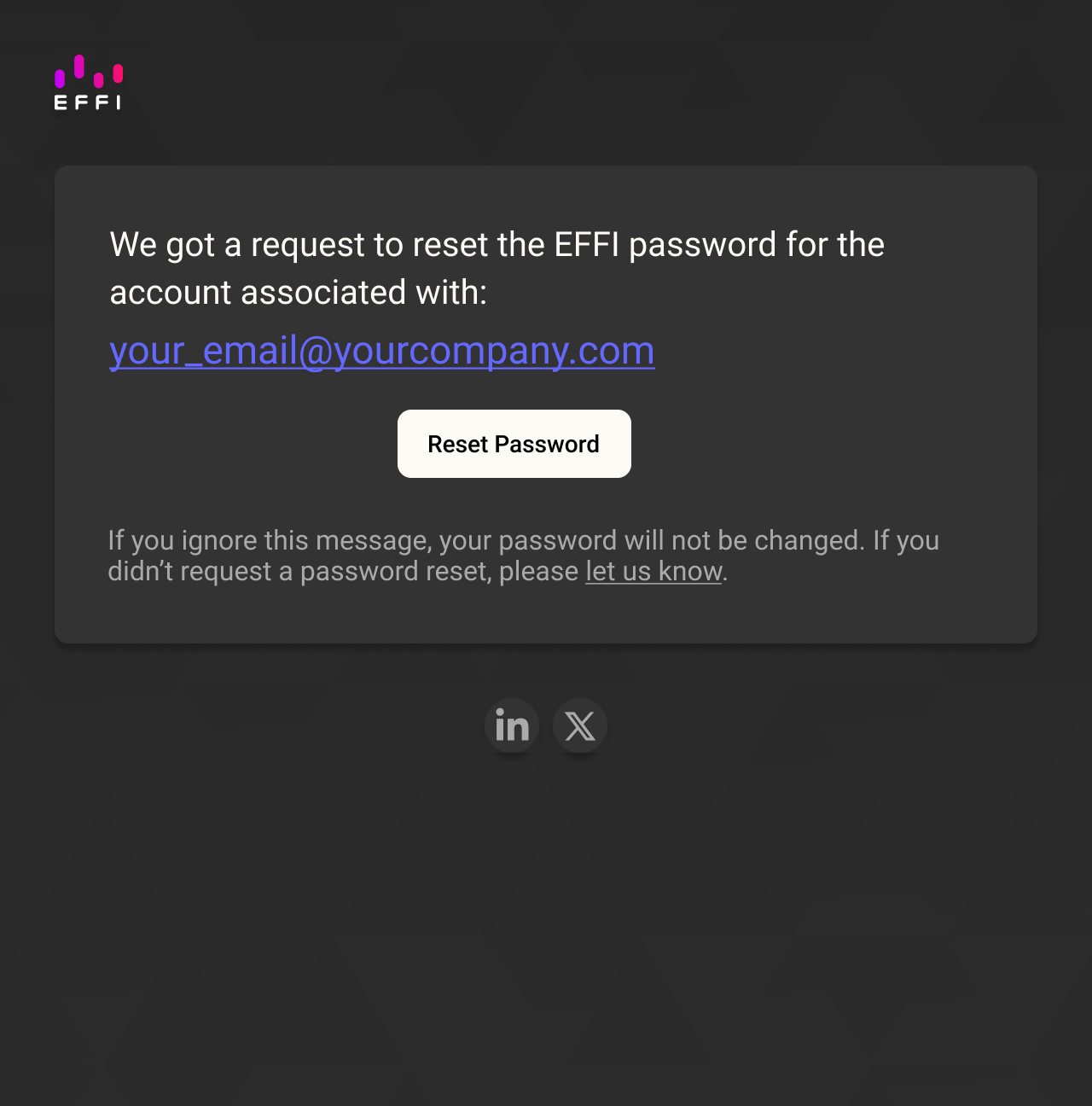
3. Check your inbox for a password reset email from Eff. Click "Reset Password" in the email and you'll be taken to a secure page to creat ea new password.
? Don't see the email? Check your spam or junk folder.
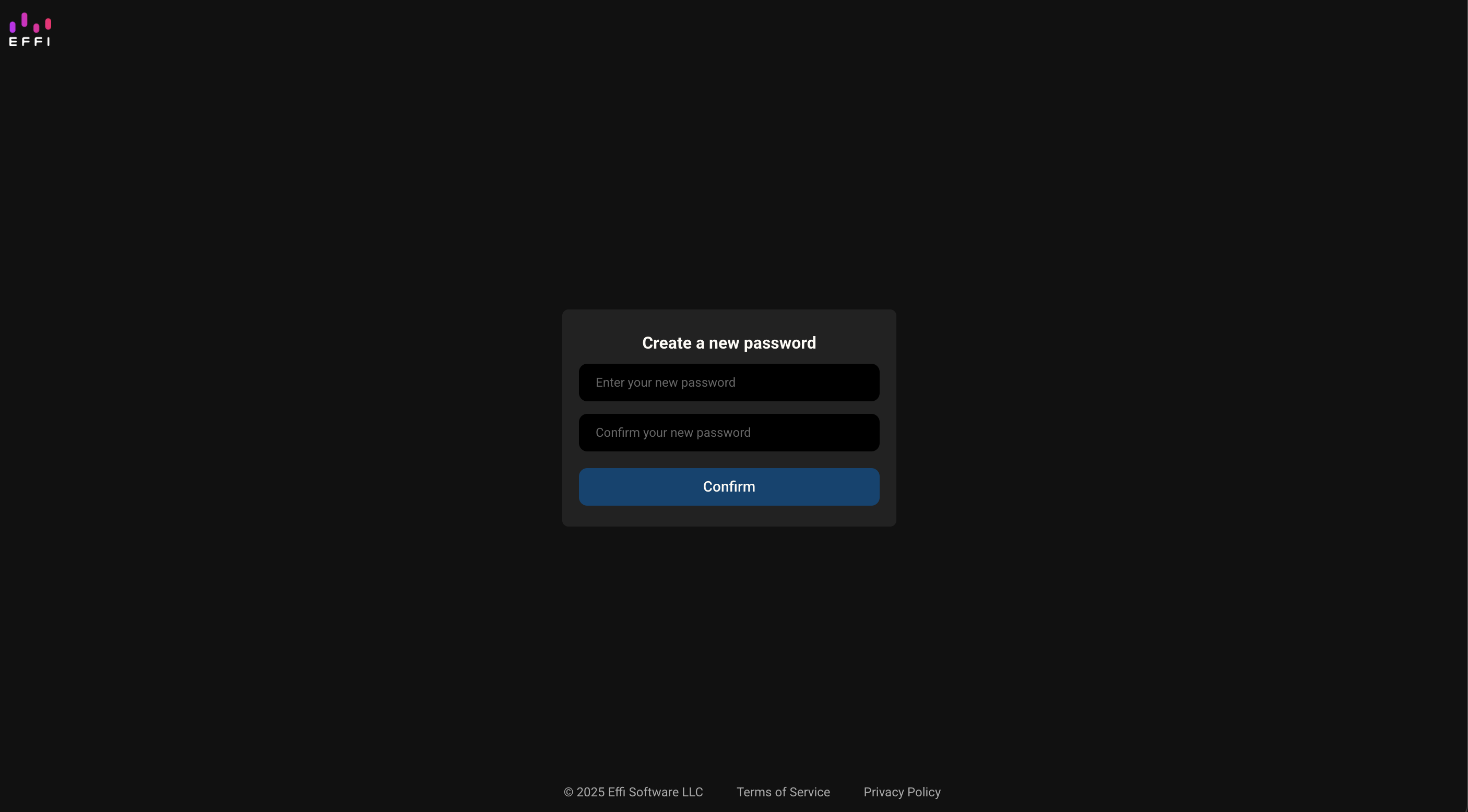
5. Enter and confirm your new password, then click Confirm to log back in.
If you continue to have trouble resetting your password or don't receive the reset email, contact our support team at support@effi.xyz for further help.
Was this article helpful?
That’s Great!
Thank you for your feedback
Sorry! We couldn't be helpful
Thank you for your feedback
Feedback sent
We appreciate your effort and will try to fix the article